1. Why VPS Reselling is Still Profitable in 2026
The cloud oligopoly of AWS, GCP, and Azure charges a 300-800% markup over raw server costs. DigitalOcean, Linode, and Vultr have all raised prices and cut features since 2024, opening a price gap for independent hosts. Meanwhile, demand for cheap VPS instances from indie developers, SaaS startups, SEO agencies, VPN providers, and AI inference workloads is accelerating.
What makes this opportunity uniquely accessible right now:
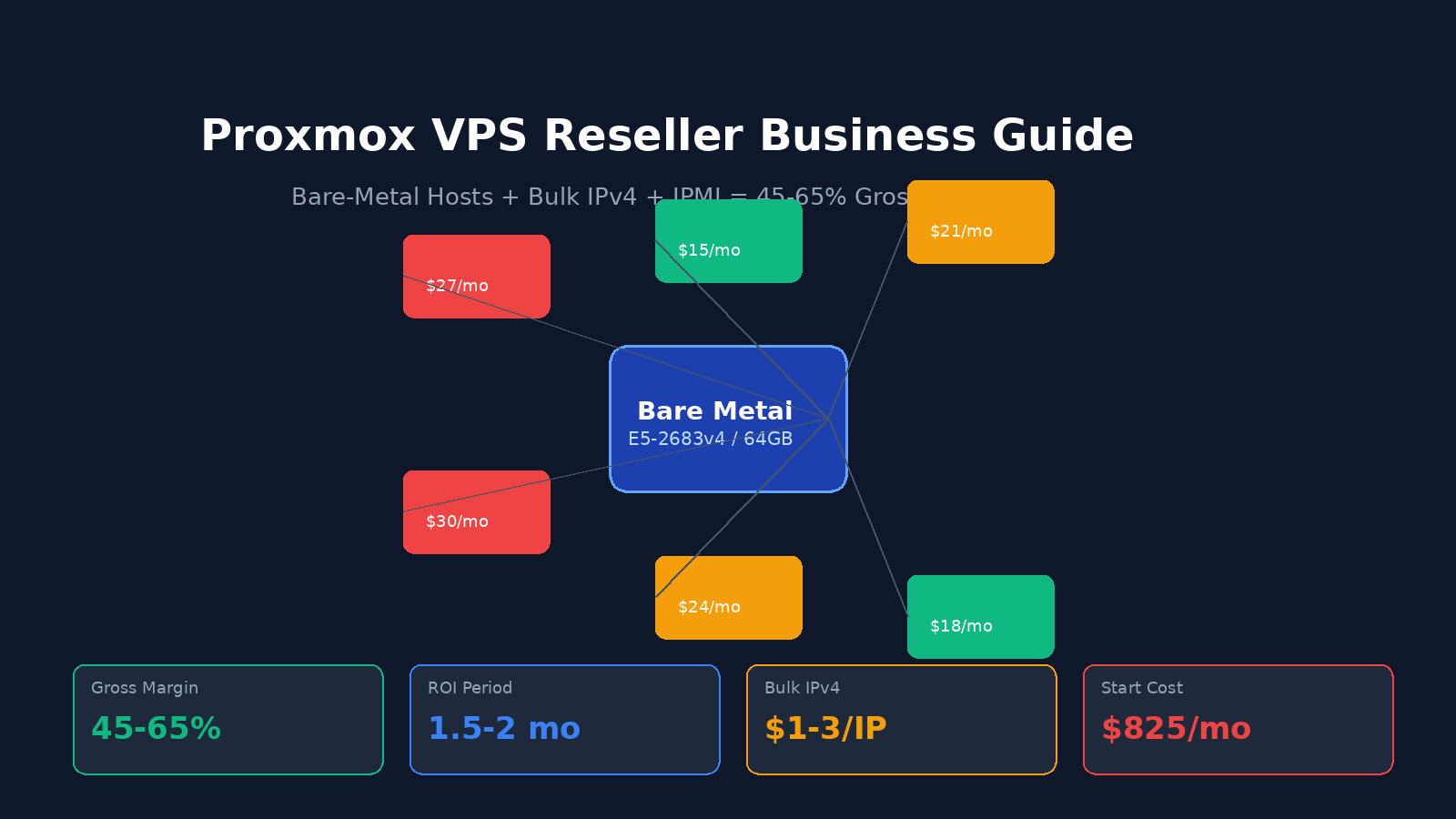
- Bare-metal prices have collapsed due to surplus enterprise hardware from data center refreshes. A 16-core/64GB server that cost $2,000/month in 2020 now rents for $330-825/month.
- Proxmox VE is completely free and competes feature-for-feature with VMware vSphere (which costs $700+ per CPU).
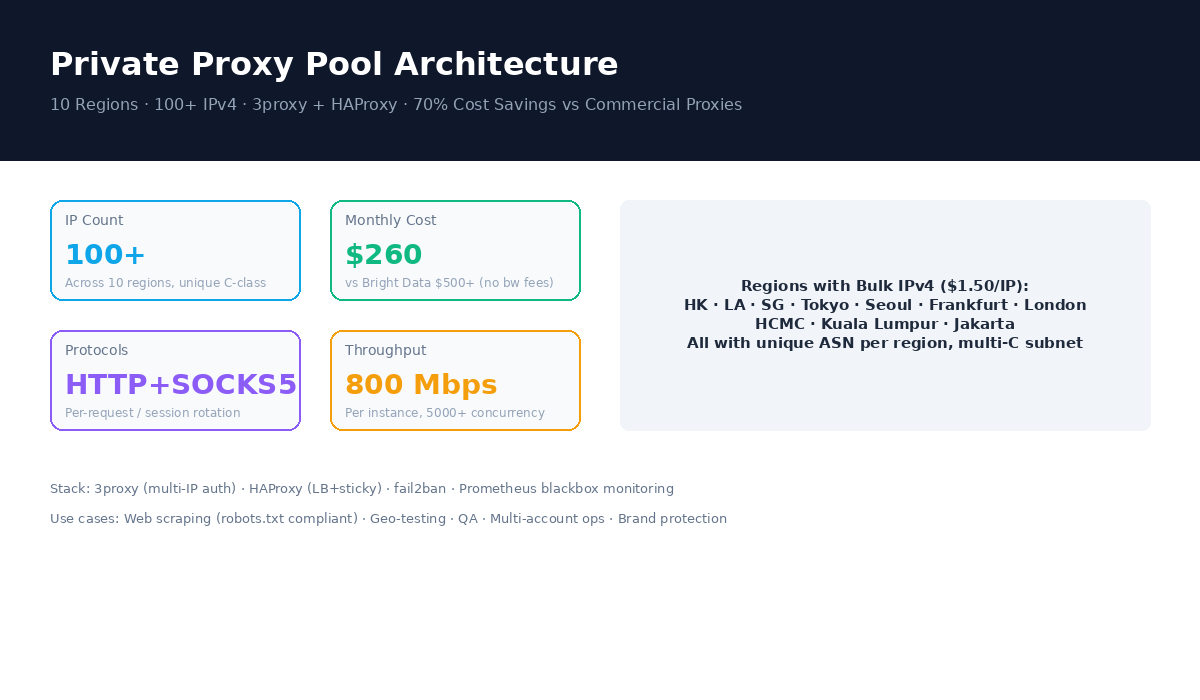
- Bulk IPv4 addresses remain available from wholesale providers at $1-3/IP/month, despite RIR exhaustion fears.
- SEO hosting demand continues to grow as Google's algorithm penalizes shared hosting IP neighborhoods.
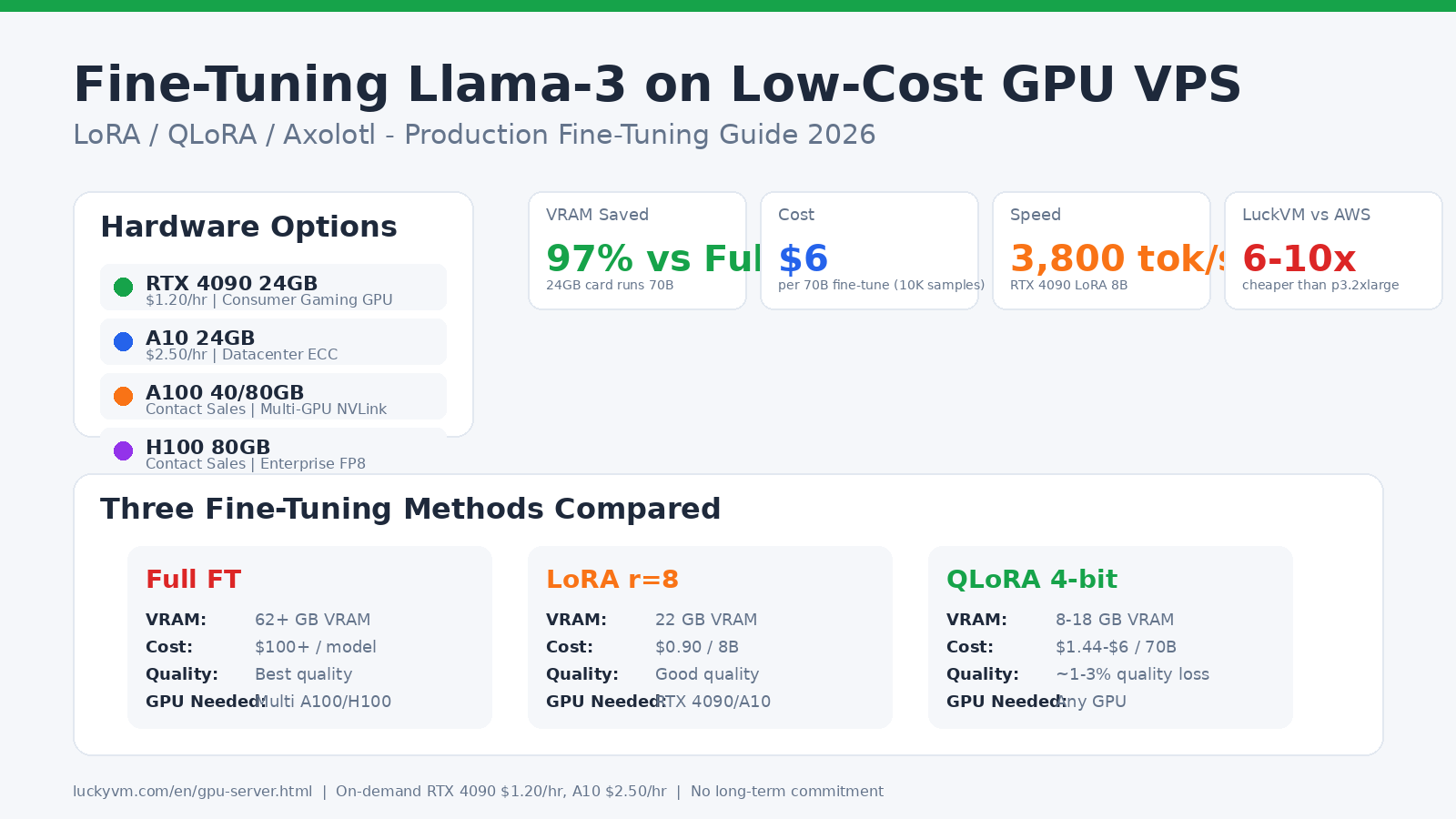
- GPU AI inference creates demand for RTX 4090 and A100 VPS slices that hyperscalers price at 5-10x your cost.
2. Three Reseller Business Models Compared
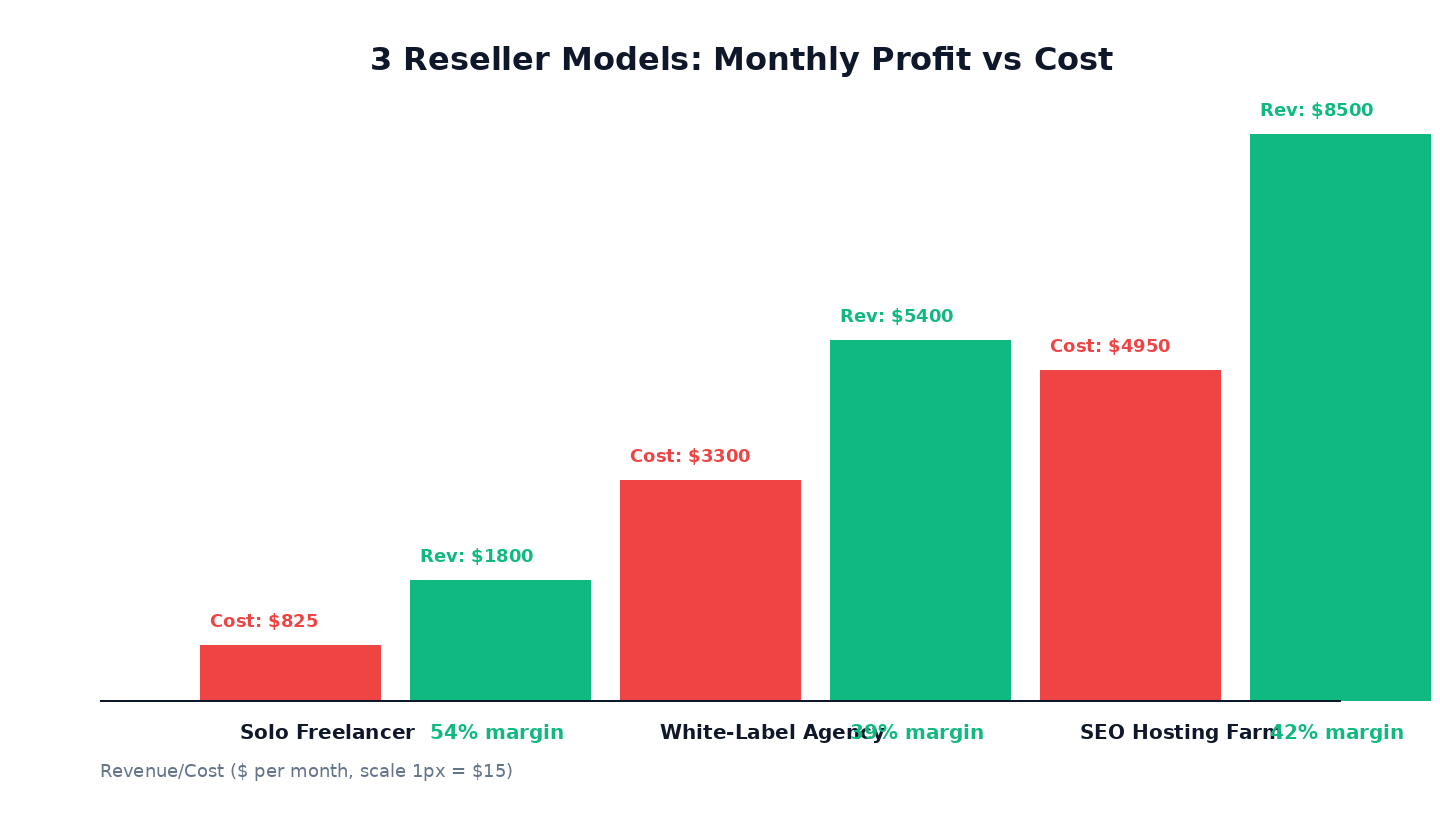
Not all reseller businesses are the same. Pick your model based on your technical skills, capital, and growth goals:
| Model | Capital Needed | Technical Skill | Margin | Best For |
|---|---|---|---|---|
| Solo Freelancer | $330-825/mo | Linux admin basic | 50-60% | Individual developers hosting 5-20 client sites |
| White-Label Agency | $2,500-4,000/mo | DevOps + business ops | 35-45% | Branded VPS company targeting SMB/devs |
| SEO Hosting Farm | $5,000+/mo | Network engineering | 40-55% | Bulk IP, multi-C-class networks for SEO/PBN/VPN clients |
Model A: Solo Freelancer
Start with one bare-metal server, manage VMs manually via Proxmox web UI, invoice clients via PayPal/Stripe. Lowest overhead, fastest launch (1-2 days). No billing software needed until you hit 20+ clients.
Model B: White-Label Agency
Deploy 3-5 bare-metal servers across multiple regions (HK, LA, Frankfurt, Singapore). Use Virtualizor or Proxmox VE + WHMCS for automated provisioning, billing, and support. Brand as your own hosting company. Requires handling abuse tickets, DMCA, and 24/7 monitoring.
Model C: SEO Hosting Farm
Buy bulk /24 and /22 IPv4 subnets spread across multiple C-class ranges and multiple geographic locations (HK/US/DE/JP/SG). Sell "multi-IP hosting" to SEO agencies and PBN operators. Highest IP management overhead but commands premium pricing ($8-15 per IP per month vs $1-3 for standard IPs).
3. Choosing the Right Bare-Metal Hardware
POWOKE offers bare-metal servers across 10 global locations. Your hardware choice determines how many VMs you can pack and what performance your customers experience.
| Plan | CPU | RAM | Storage | Bandwidth | Price | Max VMs |
|---|---|---|---|---|---|---|
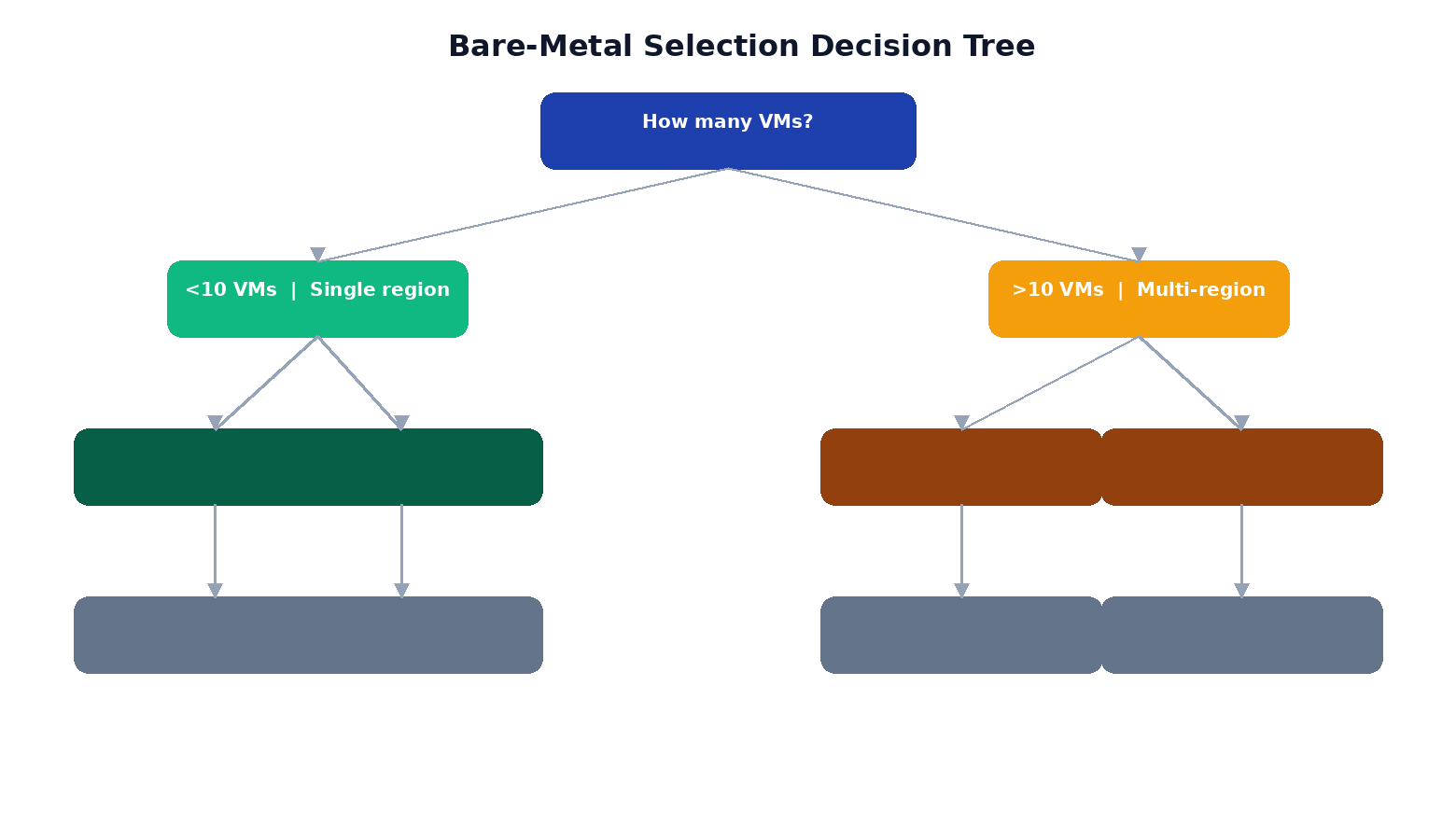
| Entry Dedicated | E5-2683v4 16C/32T | 64 GB DDR4 | 1 TB NVMe | 1 Gbps Unmetered | $330/mo | 10-15 Medium |
| Standard Dedicated | Dual E5-2683v4 32C/64T | 128 GB DDR4 | 2x1 TB NVMe | 1 Gbps Unmetered | $825/mo | 18-25 Medium |
| GPU Dedicated | E5-2683v4 + RTX 4090 | 128 GB DDR4 | 2 TB NVMe | 1 Gbps Unmetered | GPU $1.20/hr + host | AI inference slices |
| Enterprise Cluster | Custom config | 256 GB - 2 TB | NVMe RAID | 1-10 Gbps | Contact sales | 50+ VMs |
4. Installing Proxmox VE 7.x Step-by-Step
Once your bare-metal server is provisioned, access IPMI (see Section 6) and mount the Proxmox VE ISO:
- Download Proxmox VE 7.x ISO from proxmox.com/en/downloads
- Log into IPMI web UI (default port varies by vendor, typically
https://) - Open iKVM/HTML5 console, mount ISO as virtual CD
- Reboot server, boot from virtual CD
- Follow installer: select target disk (NVMe), set hostname (
pve01.yourdomain.com), set root password, configure management IP - After install, reboot, remove ISO, access web UI at
https://:8006
Post-install essential steps via SSH:
# Update system
apt update && apt dist-upgrade -y

# Remove enterprise repo (use no-subscription for reseller hosts)
sed -i 's/^deb/#deb/g' /etc/apt/sources.list.d/pve-enterprise.list
echo "deb http://download.proxmox.com/debian/pve bookworm pve-no-subscription" >> /etc/apt/sources.list
apt update && apt dist-upgrade -y

# Install useful tools
apt install -y ifupdown2 fail2ban ufw htop iotop vim git curl wget

# Remove subscription nag (optional)
sed -i.bak "s/data.status !== 'Active'/false/g" /usr/share/javascript/proxmox-widget-toolkit/proxmoxlib.js
systemctl restart pveproxy
5. Network Configuration: Bridging, VLANs & Bulk IPv4
Proxmox uses Linux bridges for VM networking. Edit /etc/network/interfaces:
auto lo
iface lo inet loopback

# Physical uplink (your main public NIC)
auto enp1s0f0
iface enp1s0f0 inet manual

# Main bridge for VM traffic
auto vmbr0
iface vmbr0 inet static
    address 192.0.2.10/24       # Your server's main public IP
    gateway 192.0.2.1          # Provider gateway
    bridge-ports enp1s0f0
    bridge-stp off
    bridge-fd 0
    bridge-vlan-aware yes

# Route bulk IPv4 subnet to VMs
# For a /28 or /24 assigned to you:
up ip route add 203.0.113.0/24 dev vmbr0
post-up echo 1 > /proc/sys/net/ipv4/ip_forward
post-up echo 1 > /proc/sys/net/ipv4/conf/all/proxy_arp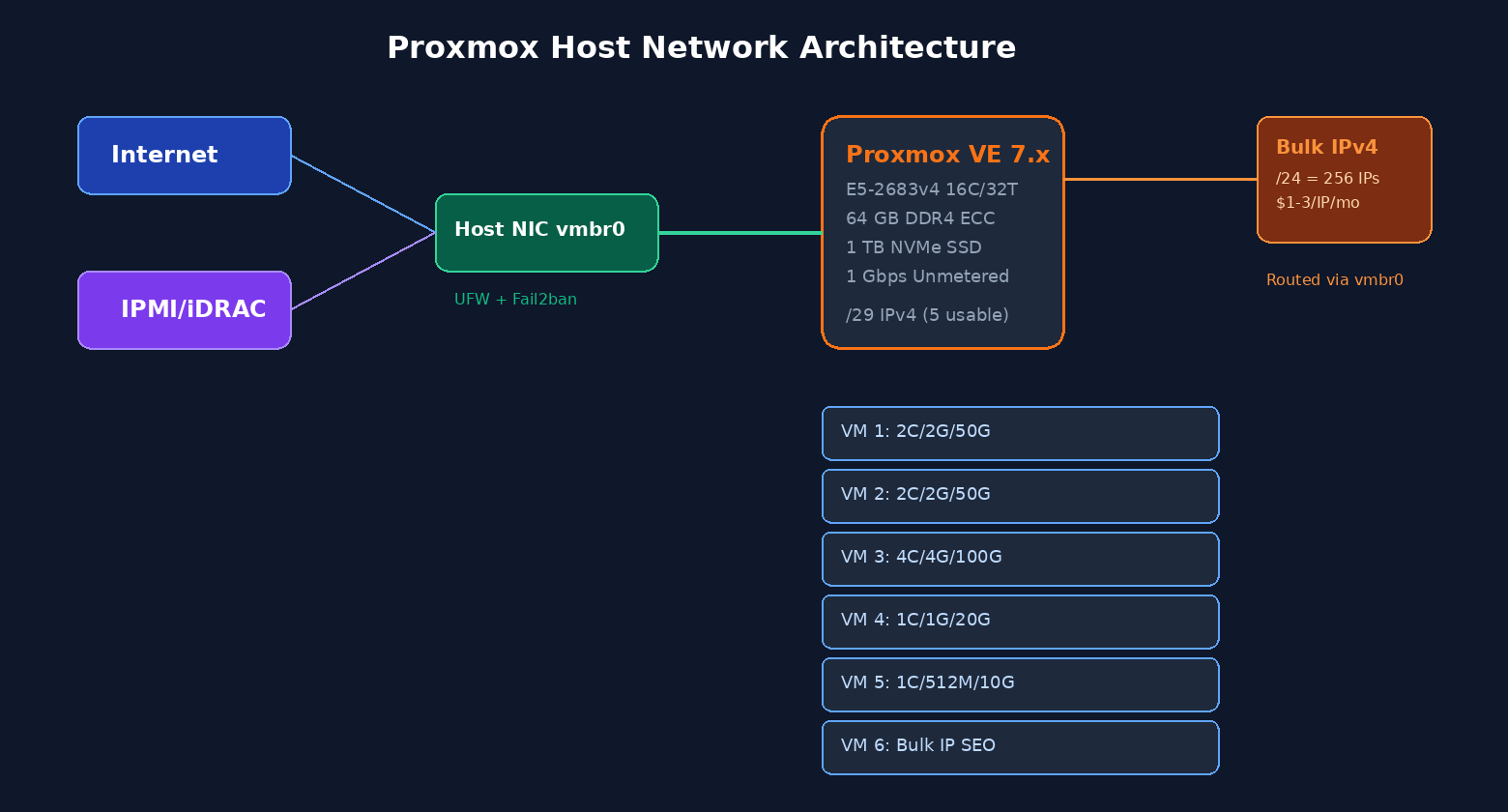
After configuring networking, create a KVM VM template:
# Download Ubuntu 24.04 cloud image
wget https://cloud-images.ubuntu.com/noble/current/noble-server-cloudimg-amd64.img
mv noble-server-cloudimg-amd64.img /var/lib/vz/template/iso/ubuntu-24.04.img

# Create VM 900 as template
qm create 900 --name ubuntu-template --memory 2048 --cores 2 --net0 virtio,bridge=vmbr0
qm importdisk 900 /var/lib/vz/template/iso/ubuntu-24.04.img local-lvm
qm set 900 --scsihw virtio-scsi-pci --scsi0 local-lvm:vm-900-disk-0
qm set 900 --boot c --bootdisk scsi0
qm set 900 --ide2 local-lvm:cloudinit
qm set 900 --serial0 socket --vga serial0
qm set 900 --ipconfig0 ip=dhcp
qm template 900

# Clone to new VM for customer:
qm clone 900 101 --name customer-vm-01 --full
qm set 101 --memory 2048 --cores 2 --ipconfig0 ip=203.0.113.5/24,gw=192.0.2.1
qm start 101
6. IPMI/iDRAC Remote Management Security
IPMI (Intelligent Platform Management Interface) or vendor equivalents (Dell iDRAC, HP iLO, Supermicro IPMI) give you KVM-over-IP access to your server even when the OS crashes. This is essential for bare-metal management, but it is also a top security risk if exposed improperly.
Secure IPMI configuration checklist:
- Change default credentials immediately. Default admin/admin credentials are scanned and exploited within hours of exposure.
- Put IPMI on a private management VLAN if available, or restrict access to your IP only via provider-side ACL.
- Disable IPMI over USB and any unused IPMI services (Virtual Media, SSH, SNMP).
- Use IPMI 2.0+ with strong cipher suites only. Disable Cipher Zero.
- Access IPMI through a VPN or SSH tunnel rather than exposing port 623/UDP or web UI port (typically 443/80/8080) publicly.
- Never run production services on the IPMI NIC.
Example: SSH tunnel to IPMI from your local machine:
# Create local port 8443 tunneled to IPMI via your Proxmox host
ssh -L 8443::443 root@ -N
# Now access IPMI at https://localhost:8443 in your browser
7. VM Pricing Tiers & Margin Calculations
These prices are based on 2026 market rates for budget-to-midrange VPS. Adjust based on region (HK/JP/SG command 10-20% premium; US/DE standard pricing).
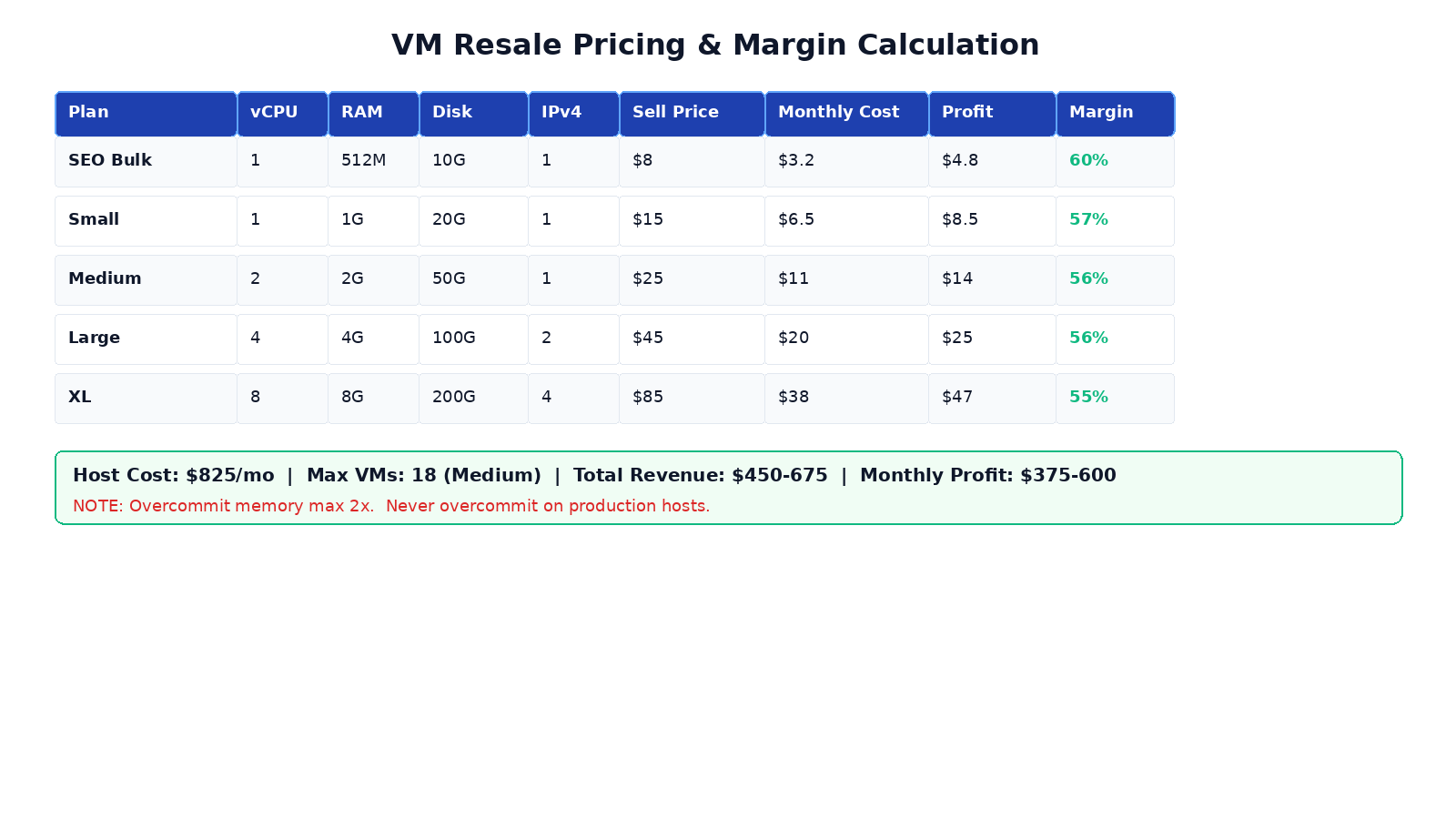
Sample revenue calculation for one Standard Dedicated server ($825/month):
- Host capacity: 128 GB RAM, 32 vCPU, 2 TB NVMe
- Safe overcommit ratio: 2x memory (64 GB physical for ~120 GB sold), 3x CPU
- Mix of plans: 10 Medium ($25) + 5 Large ($45) + 3 SEO Bulk ($8 + $2/additional IP)
- Monthly revenue: 10×$25 + 5×$45 + 3×$8 + IP add-ons = $250 + $225 + $24 + ~$50 IP = $549/month
- Host cost: $825
- Wait - that's negative. The trick is mixing plan tiers and overcommitting safely:
- Better mix: 15 Medium ($25) + 5 SEO Bulk ($8 + $4 IP) = $375 + $60 = $435/month on a $330 entry server = $105/month profit
- For $825 Standard: 20 Medium ($25) + 10 Small ($15) + 8 extra IPs ($2) = $500 + $150 + $16 = $666/month profit (45% margin)
8. Billing & Automation Options
For Model A (solo freelancer), you can skip billing software initially. But once you pass 20 clients, automation is essential:
| Software | Cost | Best For | Proxmox Integration |
|---|---|---|---|
| WHMCS | $18.95/mo (starter) | Full hosting business | Proxmox VPS module available |
| Blesta | $12.95/mo (starter) | Budget alternative to WHMCS | Proxmox module via community |
| Virtualizor | $8/mo per server | VPS-specific provisioning | Native Proxmox/KVM/Xen/OpenVZ |
| ProxMox VE + Manual | Free | N/A (use web UI) | |
| BoxBilling | Free (open source) | Bootstrapped startups | Custom API integration |
Key features you need:
- Auto-provisioning (VM creation on payment)
- Auto-suspension on non-payment
- Bandwidth tracking per VM (use
vnstaton host + Proxmox metrics) - rDNS/PTR management for each IP
- Support ticket system (or integrate with Freshdesk/Zendesk)
9. Host Hardening & Abuse Prevention
One compromised VM or abuse complaint can take down your entire operation. Hardening is non-negotiable:
# UFW firewall - block everything except needed ports
ufw default deny incoming
ufw default allow outgoing
ufw allow 22/tcp         # SSH (consider changing port)
ufw allow 80,443/tcp     # Only if you run a panel/billing
# DO NOT open Proxmox 8006 or IPMI to public - use SSH tunnel/VPN
ufw enable

# Fail2ban for SSH
systemctl enable fail2ban
cat > /etc/fail2ban/jail.local > /etc/modules-load.d/br_netfilter.conf
echo "net.bridge.bridge-nf-call-iptables=1" >> /etc/sysctl.conf
sysctl -p- Register an abuse contact (abuse@yourdomain.com) and monitor it daily
- Have a DMCA response policy published on your website
- Keep logs of VM creation, IP assignments, and client contact info for at least 6 months
- Immediately suspend VMs sending spam or conducting DDoS (your upstream provider WILL null-route your entire server IP if you don't act fast)
- Port 25 (SMTP) is blocked by default on most ISPs; if you offer email service, you need proper FCrDNS, SPF/DKIM/DMARC setup per IP
10. 10-Step Launch Checklist
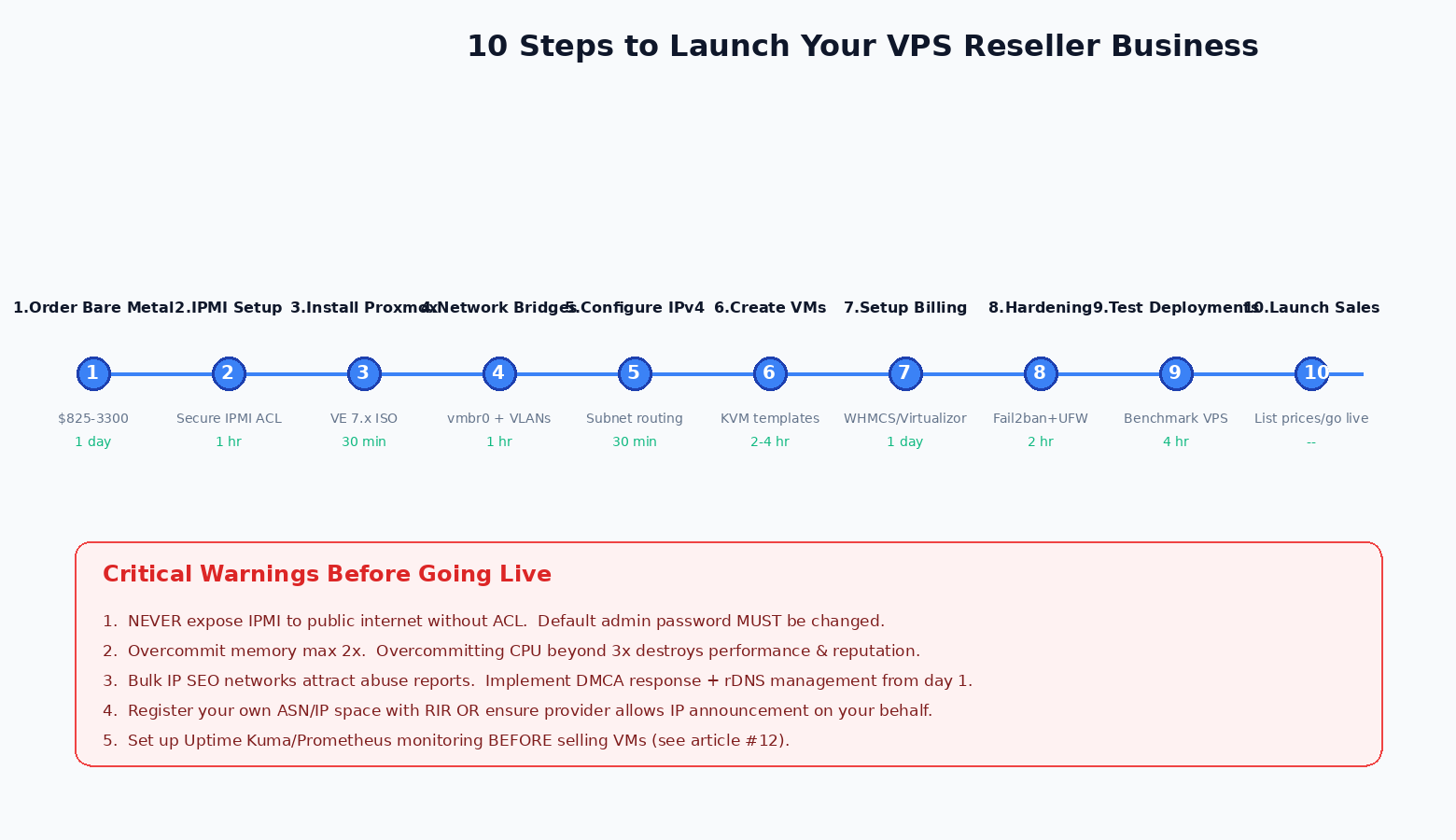
- Order Bare-Metal Server - Choose region based on target audience. Start with Standard Dedicated ($825) for best unit economics.
- Secure IPMI - Change default password, restrict access to your IP, set up SSH tunnel access.
- Install Proxmox VE 7.x - Mount ISO via IPMI, follow installer, run post-install updates.
- Configure Network Bridges - Set up vmbr0 for VMs, enable IP forwarding, configure firewall.
- Assign Bulk IPv4 Subnets - Coordinate with POWOKE support for subnet routing, test VM connectivity from outside.
- Create VM Templates - Build Ubuntu 24.04, Debian 12, and optionally CentOS/AlmaLinux cloud image templates with cloud-init.
- Set Up Billing System - Install WHMCS or Blesta, configure Proxmox module, set up Stripe/PayPal payment gateways.
- Harden Host - Enable UFW, fail2ban, SSH key-only auth, disable root password login.
- Deploy Test VMs - Benchmark with yabs.sh, fio, iperf3. Verify network performance from multiple global locations.
- Launch Sales - Publish pricing page, list on LowEndTalk/WHT, offer 20% launch discount for first 20 customers.
Why POWOKE for Reseller Hosting
POWOKE's bare-metal offering is uniquely suited for resellers because of:
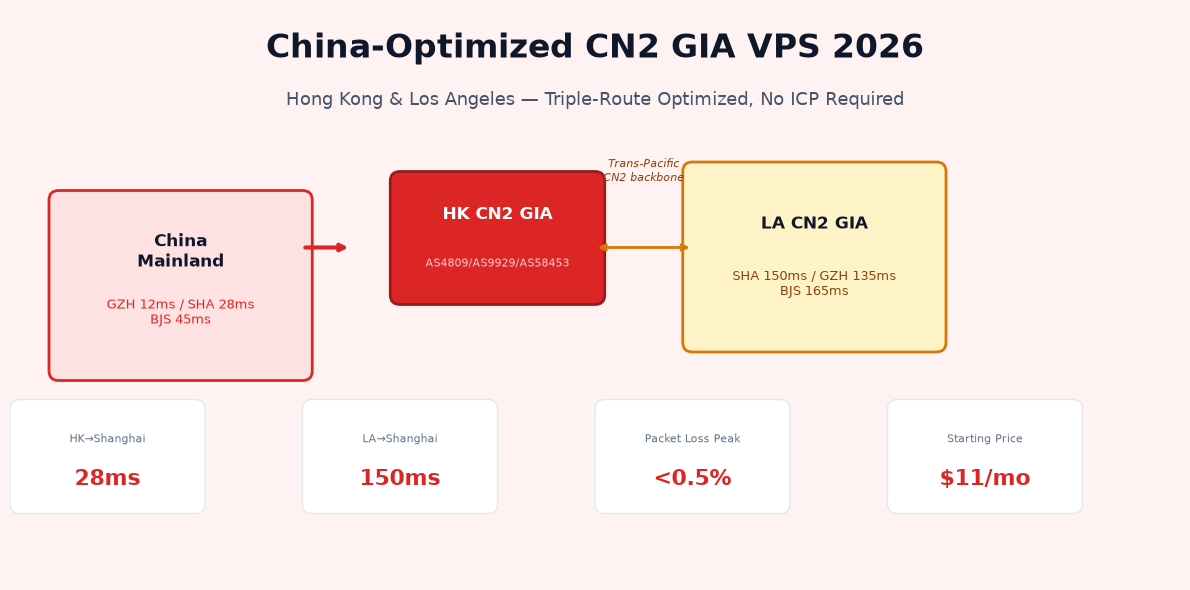
- 10 global locations (HK CN2 GIA, Los Angeles, Tokyo, Seoul, Singapore, Frankfurt, London, Vietnam, Malaysia, Indonesia) - geographic diversity for SEO clients and global audiences
- 1 Gbps unmetered bandwidth on all dedicated servers - no overage bills, predictable costs
- Full IPMI access included on all bare-metal plans - you own the hardware remotely
- Bulk IPv4 available at market-competitive rates across multiple C-class ranges
- NVMe SSD storage by default - VMs boot fast, IOPS exceed SATA by 10-15x
- Custom configurations available via sales (contact for RAM/SSD/IP upgrades, multi-server discounts)
- GPU server add-ons (RTX 4090 $1.20/hr, A10 $2.50/hr) for AI inference resale
Ready to Start Your VPS Reseller Business?
Deploy your first POWOKE bare-metal server in minutes. 10 global regions, IPMI included, 1 Gbps unmetered, NVMe SSDs, bulk IPv4 available.
View Bare-Metal Plans from $330/moFrequently Asked Questions
Do I need a business license to resell VPS?
It depends on your jurisdiction and payment processor. Stripe/PayPal typically allow individual accounts for hosting services at small scale. Once you exceed ~$50K/year revenue or hire employees, registering an LLC/corporation is strongly recommended for liability protection.
How many VMs can I run on one bare-metal server?
On the Standard Dedicated (32 vCPU, 128 GB RAM, 2 TB NVMe), you can safely run 18-25 medium VMs (2C/2G) with 2x memory overcommit and 3x CPU overcommit. Never overcommit memory more than 2x on production hosts - performance degrades sharply with swap usage.
What's the difference between Proxmox and VMware ESXi?
Proxmox VE is completely free and open source, built on Debian Linux with KVM hypervisor and LXC containers. VMware ESXi (vSphere) requires paid licensing ($700+ per CPU) for production features. Proxmox has all the features most resellers need: live migration, HA clustering, backup/restore, SDN, and REST API.
Can I sell GPU instances for AI/ML?
Yes. POWOKE offers RTX 4090 ($1.20/hr) and A10 24GB ($2.50/hr) GPU servers that can be partitioned using NVIDIA MPS (Multi-Process Service) or vGPU (on A10/A100). Note: RTX 4090 consumer cards do not support NVIDIA vGPU officially - use MPS or Docker with NVIDIA Container Toolkit for multi-tenant workloads. See our GPU benchmark guide for details.
How do I handle abuse complaints and DMCA?
Publish an abuse/DMCA policy page on your website. Designate abuse@yourdomain.com. When you receive a complaint, identify the VM by IP/timestamp, notify the client (give 24-48h for DMCA takedown), and immediately suspend for spam/DDoS. Failure to respond to upstream abuse reports will result in your server IP being null-routed by the data center, taking down all your clients.
Should I offer Windows VMs?
Windows requires licensing. You can either bring your own SPLA license or use Windows Server images from your provider. Linux VMs (Ubuntu/Debian) are 90% of demand and free to distribute, so start with Linux only and add Windows once you have consistent demand.
How do I set up reverse DNS (rDNS/PTR) for customer IPs?
You can typically manage PTR records through your provider's control panel or by submitting a ticket. Many providers offer an API for automated rDNS updates. This is critical for email deliverability on client VMs.
What about DDoS protection?
POWOKE includes basic DDoS protection on all servers. For clients needing enterprise-grade protection, recommend they place their VPS behind Cloudflare (for HTTP/HTTPS traffic) or offer GRE tunnel/on-demand filtering as a paid add-on. See our Connect Cloudflare to a VPS: DNS, TLS and Caching.
Related guides: APAC Network Architecture · VPS Monitoring with Netdata, Uptime Kuma and Prometheus · VPS Backups: Retention, Off-Site Copies and Restore Tests · Nginx Reverse Proxy: Upstreams, TLS and Logs · GPU Benchmark Guide